efront ecosystem
Tools built for
modern dev teams.
Five products. One ecosystem. Built to reduce friction across every layer of the frontend workflow.
01 — Knowledge Base
Efront Hub
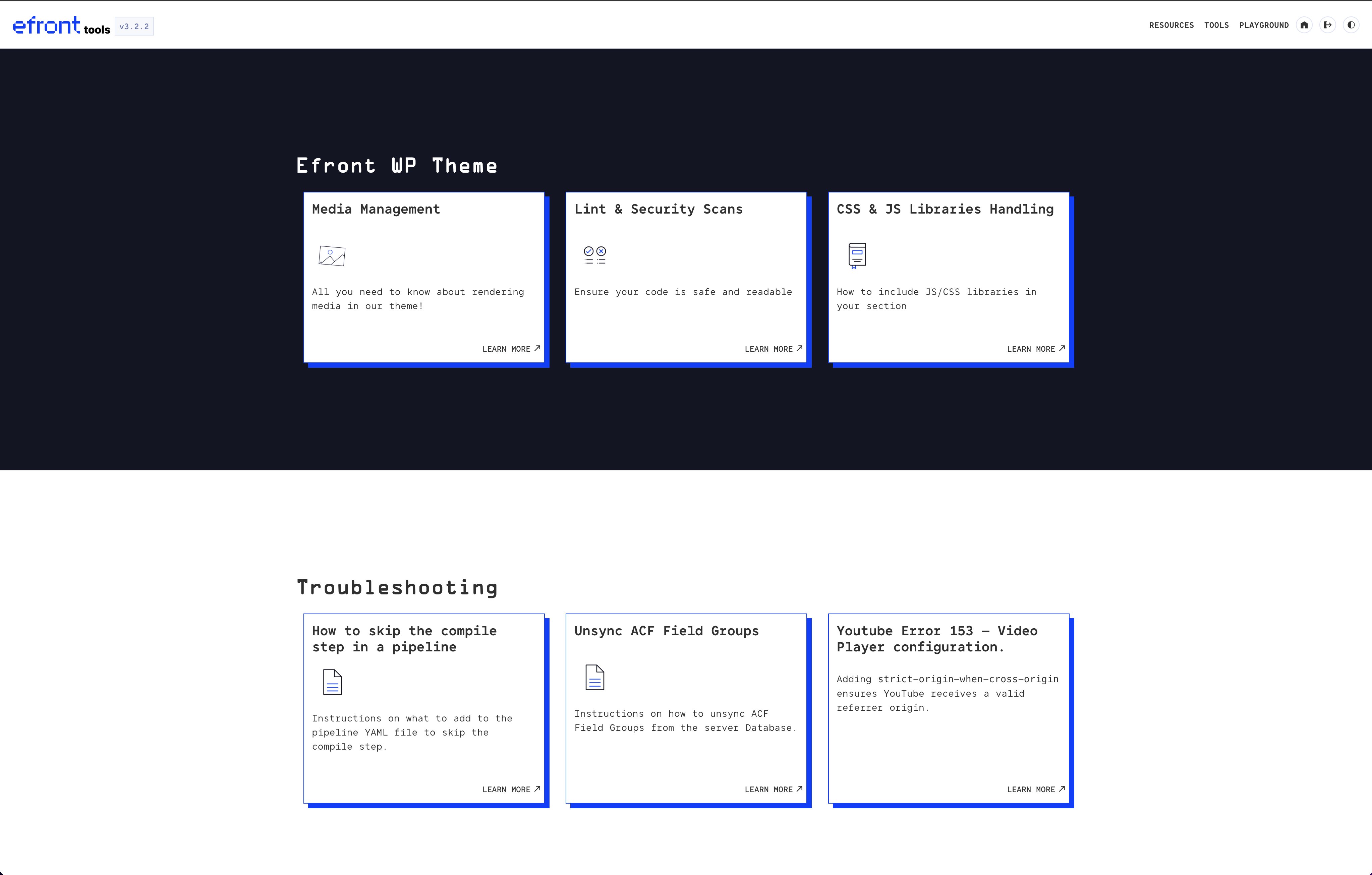
The central documentation layer for the efront WP Theme. Every developer reference in one place — dark-mode ready, searchable, and organised by topic.
- Documentation & tutorials
- Reference guides & Use Cases
- Tools Docs
- FAQ & troubleshooting
02 — Live Testing
Efront Playground
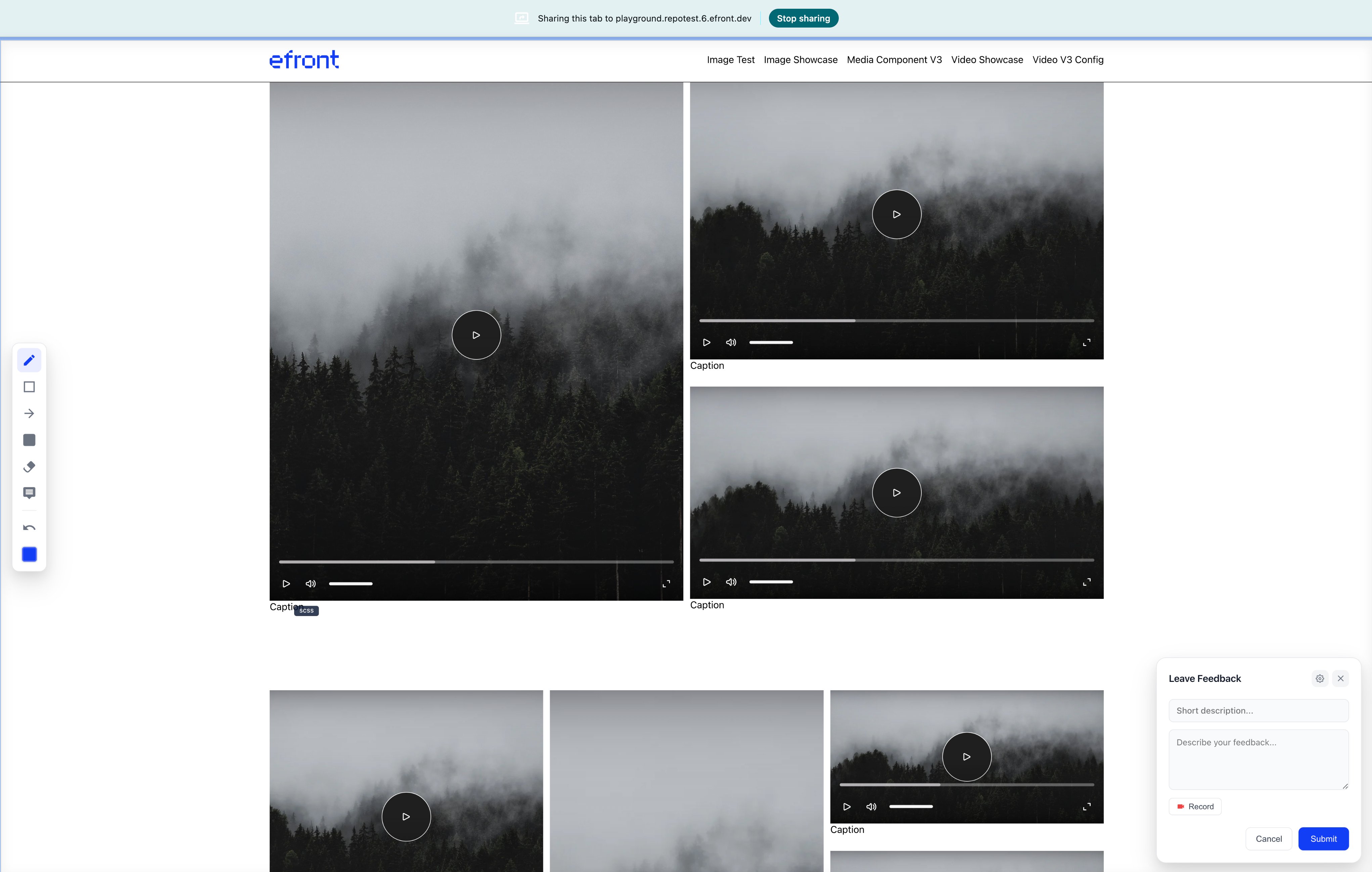
A shared, real-time testing environment with dedicated environments for multiple dev teams. Share features and fixes in real-time with all team members in one place.
- Features testing and debuging.
- Dedicated environments for multiple dev teams.
- One Repo, Multiple Environments.
03 — Annotate & Review
Feedback Manager
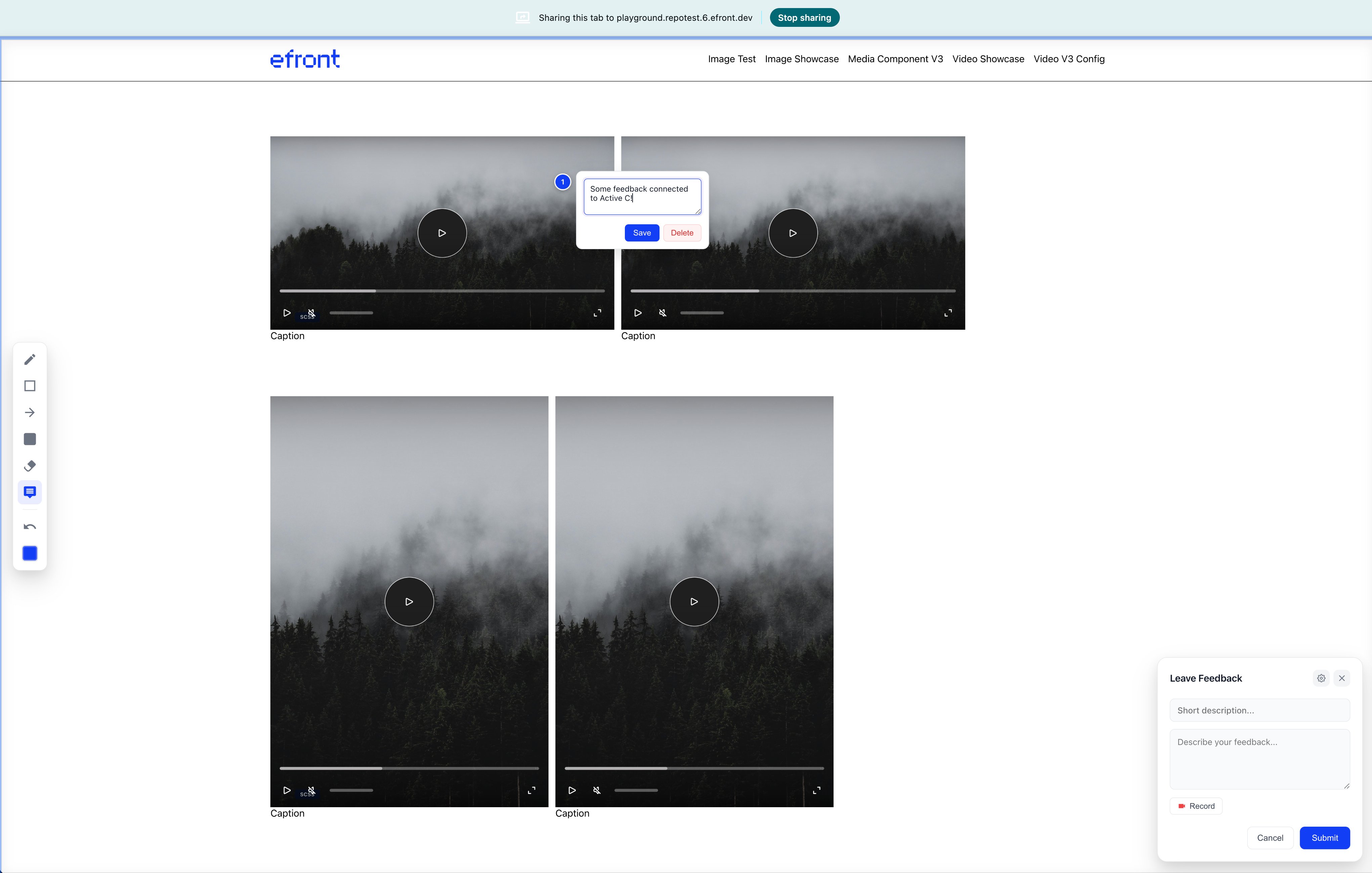
A simple tool to annotate and review any page. Click anywhere on a live page to drop a numbered comment pin. Add notes, save them, or delete — context stays attached to the exact element on the page.
- Click-to-pin comments on any page element
- Inline save & delete controls
- Short description + long-form feedback fields
- Screen recording directly from the panel
04 — Internal Tools
Efront Tools
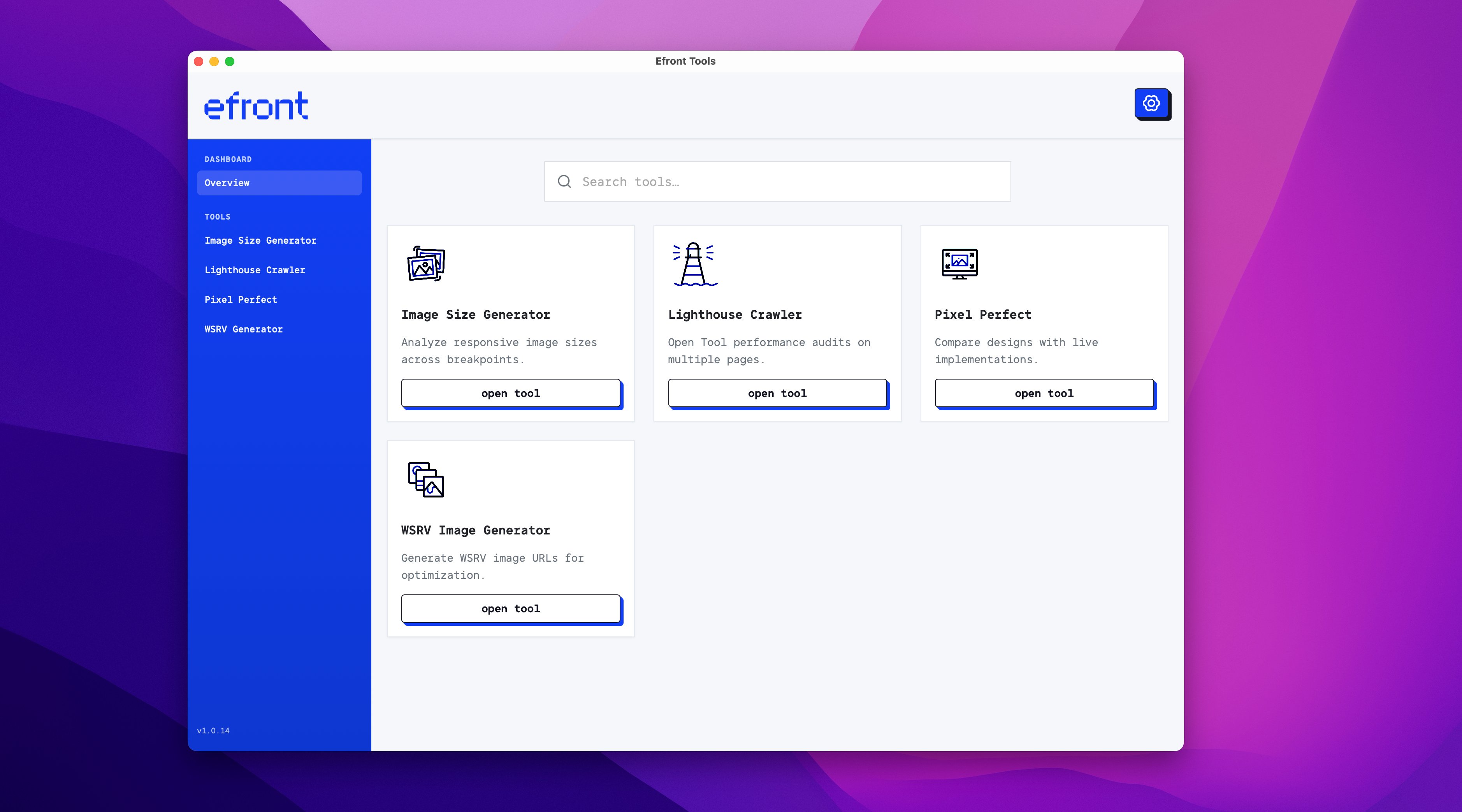
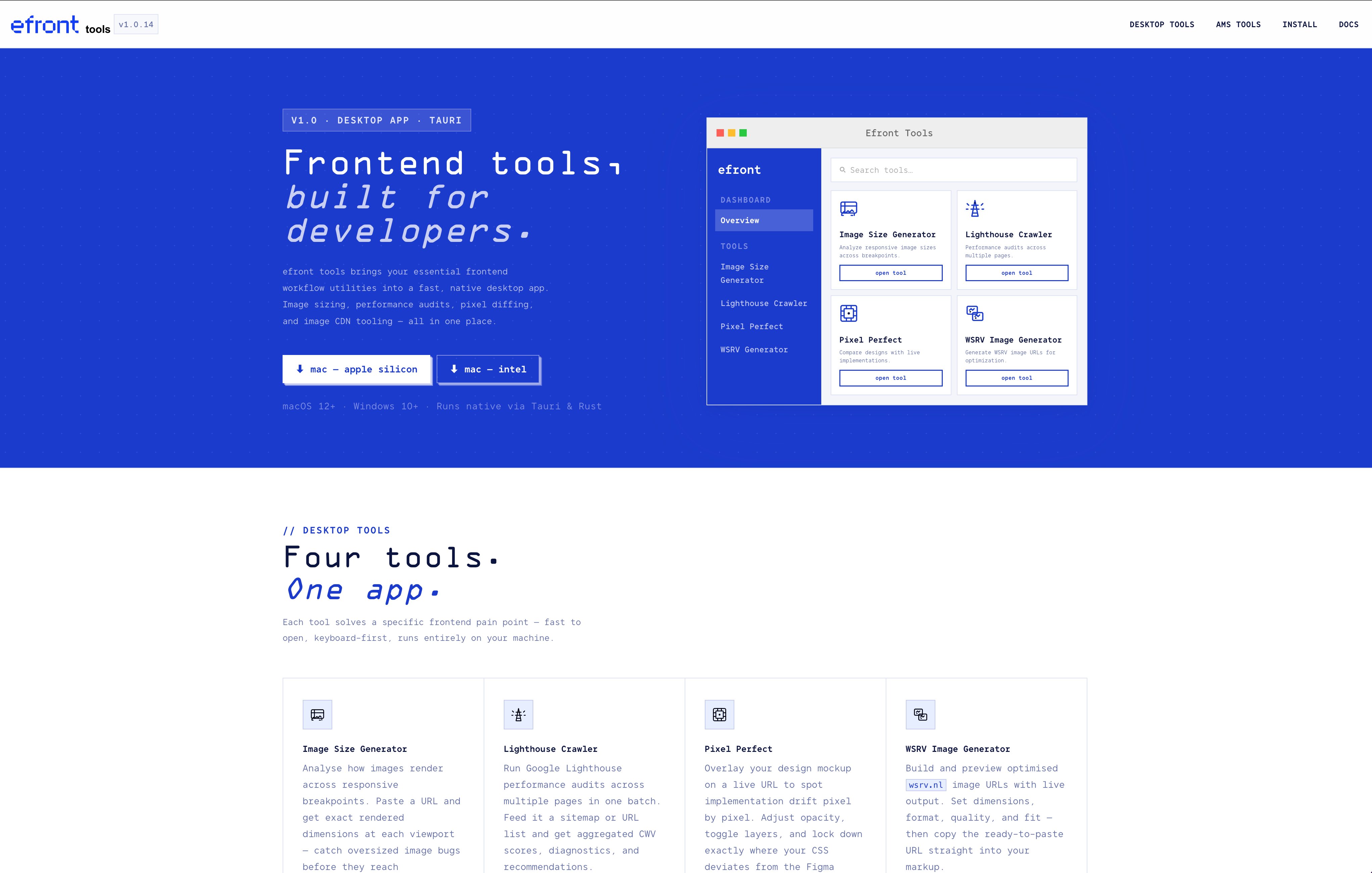
A fast, native desktop application built with Tauri & Rust. Four precision tools running entirely on your machine — no cloud, keyboard-first, macOS & Windows.
05 — Native Interface
Inside the App
Clean, minimal dashboard with a blue sidebar, search, and a tool card grid. Each tool opens in its own focused view — fast to launch, easy to navigate, zero friction.
- Blue sidebar navigation with tool list
- Search tools instantly from the dashboard
- Four tools, one unified interface
- Settings panel & version tracking